
Best Social Media Automation Tools 2026
Most social media advice tells you to "post consistently." What it doesn't tell you is that posting consistently and manually is a full-time job. Writing captions, resizing images, switching between platforms, and remembering to post on every single social channel your audience is active on.
That's the problem social media automation is supposed to solve. The keyword is "supposed to."
The market is flooded with social media tools that call themselves automation platforms. Most of them are just normal schedulers trying to sneak keywords like automation and AI without actually delivering them.
This guide is about the social media tools that actually automate. The ones where you set up a system once and it runs without you.
We'll cover what real automation looks like, the red flags that expose fake automation, and what to actually look for before you subscribe to any social media automation tool.
What Is a Social Media Automation Tool?
A social media automation tool is software that handles social media tasks on your behalf, without you manually triggering each one. You define the rules, the conditions, and the inputs once, and the tool takes it from there.
That means automation can look very different depending on what you need. It could be automatically publishing new content to social media the moment it goes live. It could be sending a DM the moment someone comments using a specific word. It could be recycling your best posts on a loop, or adding a follow-up comment when a post hits a certain number of likes.
The common thing is the same: you set it up once, and it runs without you.
This is the fundamental difference between automation and scheduling. Scheduling means you're still doing all the work upfront, writing, uploading, setting a time, repeating that process every day or every week. Automation means the system does the work on its own.
A simple example of a social media automation process: you connect your blog's RSS feed, the tool detects every new post, and publishes it across your social platforms automatically. You didn't log in to write the caption, and you didn't pick a time. It just happened.
That's automation. Everything else is just scheduling dressed up in marketing language.
Types of Social Media Automation
Not all automation works the same way. Depending on what you're trying to achieve, different types of automation will matter more.
Here are a few types of social media automation
Auto-Publishing
This is the foundation of social media automation. Instead of manually posting content, you connect a source, an RSS feed, a podcast, a YouTube channel, an ecommerce store, and the tool publishes new content automatically the moment it goes live. The tool takes care of writing the content, adding images and hashtags, shortening links if needed, and making all other adjustments based on the settings you defined when setting up the automation workflow.
Content Recycling
Keeps your best content working long after you published it. You add posts to an evergreen queue and the tool rotates through them on a schedule, giving old content new reach without any additional effort on your end.
Cross-Posting
Let's you publish one piece of content to multiple platforms at once, with per-platform customization so a LinkedIn post doesn't sound like a tweet and a tweet doesn't get cut off on Instagram.
DM and Comment Automation
Handles the repetitive side of community management, welcome messages, auto-replies to specific triggers, and lead capture through direct messaging. Useful for anyone running campaigns or managing high-volume engagement.
Reporting Automation
This one is really useful for social media managers with a lot of clients and agencies. It removes the manual work of pulling performance data. Scheduled reports, platform summaries, and analytics are delivered to you on a cadence rather than pulled by hand.
Instead, the automation tool sends the reports to the appropriate client automatically based on the workflow settings you have adjusted. For it,
For example, the tool would always send Pinterest and TikTok performance reports to the e-commerce client at the end of each week, without a manual trigger from you.
AI-assisted Content Generation
This one is more integrated with the scheduling side. Instead of writing every caption from scratch, the tool drafts variations, repurposes existing content into new formats, and adapts your voice across platforms. It can also write entirely new captions from scratch based on a prompt you provide.
What to Look For in a Real Social Media Automation Tool
It doesn't require you to be the bottleneck. The best automation tools are designed so that once you set things up, the system runs without needing your approval or input at every step.
It covers the major platforms and keeps up with new ones. A serious automation tool should cover all the major social media platforms out of the box, including Instagram, Facebook, LinkedIn, X, TikTok, YouTube, Pinterest, and Google Business Profile at a minimum.
But platform support isn't just about the name on the list. It's about depth. Does it support every post format on each platform? Text posts, stories, carousels, reels, shorts, polls. A tool that technically supports Instagram but can't publish Reels or Stories isn't really supporting Instagram. It's supporting a limited version of it.
It integrates with your existing automation stack. Zapier, Make, native APIs, MCP support for AI workflows. Automation tools that live in isolation eventually become silos. The best ones plug into how you already work.
It has a real support and reliability track record. Automation only saves time if it actually works consistently. A tool that goes down frequently, misses scheduled posts, or has poor support leaves you worse off than doing it manually. Uptime, support response time, and user reviews on reliability matter more here than in a regular scheduling tool.
It should have a pricing structure designed for automation. Watch out for tools that lock core automation features behind expensive tiers while keeping basic scheduling cheap. That's a scheduler with expensive automation, not an automation platform built from the ground up.
Real social media automation tools make the automated workflows accessible from the start, not as an upsell.
It automates through legitimate methods, not workarounds. Some tools achieve "automation" through some shady workarounds. It works until it doesn't, and when it stops working, it usually takes your account with it.
A legitimate automation tool automates through approved APIs and legitimate methods.
No amount of time saved is worth losing an account you've spent years building.
The Best Social Media Automation Tools 2026
Each tool on this list belongs to a different category of automation. We picked one winner per category, so you know exactly which tool fits your specific use case.
Nuelink: Best for Publishing Automation

Nuelink is built around one core idea: connect a content source once, and it publishes forever.
You connect your blog, podcast, YouTube channel, Shopify store, or any RSS feed and Nuelink automatically turns every new piece of content into a formatted social post, published across your chosen platforms without any manual input. No weekly queuing. No copy-pasting. Just a publishing system that runs in the background while you focus on everything else.
It's the only tool on this list that handles the entire automation chain, from content ingestion to cross-platform distribution, out of the box.
What Nuelink Automates:
- 📰 Publishes new blog posts to all your social channels the moment they go live
- 🛍️ Turns new ecommerce products into social posts automatically
- 🎙️ Promotes new podcast episodes across every connected social channel
- 🎬 Shares new YouTube videos to your social profiles automatically
- ♻️ Recycles your evergreen content through organized collections
- 🌐 Cross-posts to multiple platforms at once.
- 📥 Schedules hundreds of posts in bulk via CSV upload
- 🔗 Shortens and tracks every link automatically
👉 Learn more about Nuelink's Automations

Platforms supported by Nuelink:
Instagram, Facebook, LinkedIn, X, TikTok, YouTube, Pinterest, Google Business Profile, Threads, Bluesky, Telegram, Mastodon
Nuelink Integrations:
Shopify, Etsy, WooCommerce, Squarespace, Wix, Weebly, WordPress, Ghost, Medium, SoundCloud, Anchor, Zapier, Make, n8n, Activepieces, Canva, Google Drive, Dropbox, Unsplash, API + MCP server access
👉 Learn more about Nuelink's Integrations
Who this is for:
| Audience | Why Nuelink fits |
|---|---|
| Bloggers & content creators | Every new post goes live on social automatically |
| Podcasters | New episodes cross-posted on release without lifting a finger |
| E-commerce brands | New products turned into social content the moment they're added |
| SaaS & startups | Blog and product updates distributed at scale across all channels |
| Social media managers | Manage multiple brands from one dashboard with full team controls |
| Agencies | Multi-brand workspaces with client access controls and priority support |
Nuelink Pricing:
| Plan | Price (monthly) | Price (annual) |
|---|---|---|
| Standard | $18/mo | ~$9/mo |
| Premium | $48/mo | ~$24/mo |
| Business | $78/mo | ~$39/mo |
| Agency | $128/mo | ~$64/mo |
2. Vista Social: Best for DM and Engagement Automation

Vista Social automates what happens after you publish.
When your content goes live, Vista Social handles every comment, DM, and mention automatically, at scale, around the clock. Its DM Automation feature works through a simple 3-step no-code builder: choose your trigger keyword, set up your automated response, and let it run.
What Vista Social automates:
- 💬 Keyword-triggered comment-to-DM flows with a no-code 3-step builder
- 📩 Automated DMs that share links, lead magnets, offers, or booking pages
- 🎯 Lead capture and email collection directly through DM flows
- 📊 Scheduled analytics reports delivered automatically
- 🔔 Auto-replies to FAQs and common message triggers, 24/7
Platforms supported by Vista Social:
Instagram, Facebook, TikTok, LinkedIn, X, YouTube, Pinterest, Google Business Profile, Threads, Reddit, Snapchat, Bluesky
Vista Social Integrations:
Canva, Google Drive, Dropbox, OneDrive, Zapier, Make, Slack, MCP (Advanced plan and above), Unsplash, Pexels
Who this is for:
| Audience | Why Vista Social fits |
|---|---|
| Creators running comment campaigns | Keyword DMs turn every comment into a lead automatically |
| Ecommerce brands | Auto-replies handle FAQs and order questions 24/7 |
| Agencies | Multi-client inbox management from one centralized dashboard |
| Local businesses | Review automation across Google, Yelp, TripAdvisor, and more |
| High-volume social accounts | Scales engagement without adding headcount |
Vista Social Pricing:
| Plan | Price (monthly) | Price (annual) |
|---|---|---|
| Professional | $79/mo | $758/yr |
| Advanced | $149/mo | $1,430/yr |
| Scale | $349/mo | $3,638/yr |
| Enterprise | Custom | Custom |
3. NapoleonCat: Best for Social Media Moderation Automation
NapoleonCat automates the part of social media that most teams dread: moderation.
Every brand running paid ads or posting regularly deals with the same problem. Comments pile up, spam shows up, customer questions go unanswered, and negative content sits visible on your posts while your team sleeps. NapoleonCat solves this with an auto-moderation system that handles it all automatically, based on rules you set once.

What NapoleonCat automates:
- 🚫 Automatically hides or deletes spam, offensive comments, and unwanted content
- 💬 Sends predefined replies to common questions about shipping, pricing, or opening hours
- 🔗 Automatically sends links, offers, and materials to users who comment specific keywords
- 🌍 Auto-translates incoming messages into your language so nothing gets missed
- 🚨 Activates crisis management rules automatically when negative content gains traction
Platforms supported by NapoleontCat:
Facebook, Instagram, TikTok, LinkedIn, YouTube, X, Messenger, Google My Business
NapoleontCat Integrations:
Slack, App Store, Play Store.
Who this is for:
| Audience | Why NapoleonCat fits |
|---|---|
| Ecommerce brands running paid ads | Auto-moderates high-volume ad comments 24/7 without a dedicated team |
| Customer support teams | Handles FAQs, routing, and out-of-hours responses automatically |
| Agencies managing multiple brands | Moderation rules run across all client profiles simultaneously |
| Brands in high-risk or sensitive industries | Automated crisis detection removes negative content before it spreads |
| Global brands | Auto-translation handles multilingual comments without manual effort |
NapoleontCat Pricing:
| Plan | Price (monthly) | Key feature |
|---|---|---|
| Standard | $89/mo | Publishing, analytics, automated reporting |
| Pro | $109/mo | Everything in Standard + social inbox, moderation |
| Expert | $139/mo | Everything in Pro + full auto-moderation, sentiment analysis |
| Enterprise | From $465/mo | Custom solutions, API access, SLA |
MicroPoster: Best for Native-First Cross-Posting
MicroPoster is built around a simple idea: don’t replace the platform where you already create content, extend it.
Instead of writing every post inside another scheduling dashboard, you publish where you’re already active, and MicroPoster automatically detects new posts, adapts them for each platform, and republishes them across X, Threads, Bluesky, Mastodon, and soon LinkedIn.
Beyond cross-posting, MicroPoster also helps successful content keep working. Auto-Repost automatically republishes your best-performing posts on a schedule to increase long-term reach, while Auto-Plug Replies automatically posts a predefined reply when a post reaches your chosen engagement threshold.
What MicroPoster automates
- 🔄 Automatically cross-posts content between X, Threads, Bluesky, Mastodon, and soon LinkedIn
- ✨ Adapts posts for each destination, including formatting, media, and mentions
- 📈 Automatically republishes evergreen content with Auto-Repost
- 💬 Posts promotional replies automatically when posts go viral with Auto-Plug Replies
- 🤖 AI-assisted writing, rewriting, summarizing, and hashtag generation
- 📅 Visual content calendar and scheduling
- 👥 X Communities publishing and native platform integrations
Platforms supported
X, Threads, Bluesky, Mastodon, LinkedIn (coming soon)
Who this is for
| Audience | Why MicroPoster fits |
|---|---|
| Creators | Write once and automatically distribute content across multiple text-first platforms |
| Founders & Indie Hackers | Stay active everywhere without maintaining several posting workflows |
| Personal Brands | Grow your audience through automated cross-posting and reposts |
| SaaS Companies | Turn product updates into consistent multi-platform content |
| Small Marketing Teams | Reduce manual publishing work while keeping content native to each platform |
Pricing
|
Plan |
Monthly |
|---|---|
|
Creator |
$12/month |
|
Pro |
$29/month |
|
Agency |
$89/month |
All plans include a 7-day free trial with no credit card required.
5. FeedHive: Best for AI-Assisted Content and Conditional Posting
FeedHive sits at the intersection of AI content creation and smart automation.
Its standout feature is "Vibe Marketing," a built-in AI agent that takes a rough thought, a campaign angle, or a product update and turns it into a ready-to-publish post. Beyond generation, FeedHive layers in conditional posting rules that fire based on real-time performance.

What it Feedhive automates:
- 🪄 "Vibe Marketing" AI agent that turns rough thoughts into ready-to-publish posts
- ✍️ AI caption generation from a simple prompt, campaign angle, or product update
- 🔄 Hook and copy rewriting to explore alternate angles without slowing down publishing
- 🖼️ AI image generation with Flux Pro, built directly into the workspace
- 🏷️ AI-powered hashtag generation included with every post
- 🔍 AI-driven recycling suggestions that surface your best past posts automatically
- ⚡ Post condition rules triggered by engagement thresholds
- 📅 Smart scheduling that determines optimal posting times automatically
- 🔗 Built-in link shortening with automatic tracking via LinkDrip
Platforms supported by Feedhive:
Instagram, Facebook, TikTok, LinkedIn, YouTube, X, Pinterest, Threads
Who this is for:
| Audience | Why FeedHive fits |
|---|---|
| Creators focused on growth | AI handles content generation while conditional rules maximize reach |
| Marketing teams | Approval workflows and smart scheduling reduce guesswork |
| Startups | Vibe Marketing means consistent output without a dedicated writer |
| Data-driven social managers | Post performance triggers replace manual optimization decisions |
Pricing:
| Plan | Price (monthly) | Included |
|---|---|---|
| Single plan | $99/mo | 100 social accounts, 50 workspaces, 50K AI credits, 10K automation runs/mo |
6. Zernio: Best for Social API and AI Agent Automation
Every other tool on this list gives you a dashboard with automation built into it. Zernio gives you the automation layer itself and lets you decide what to build on top.
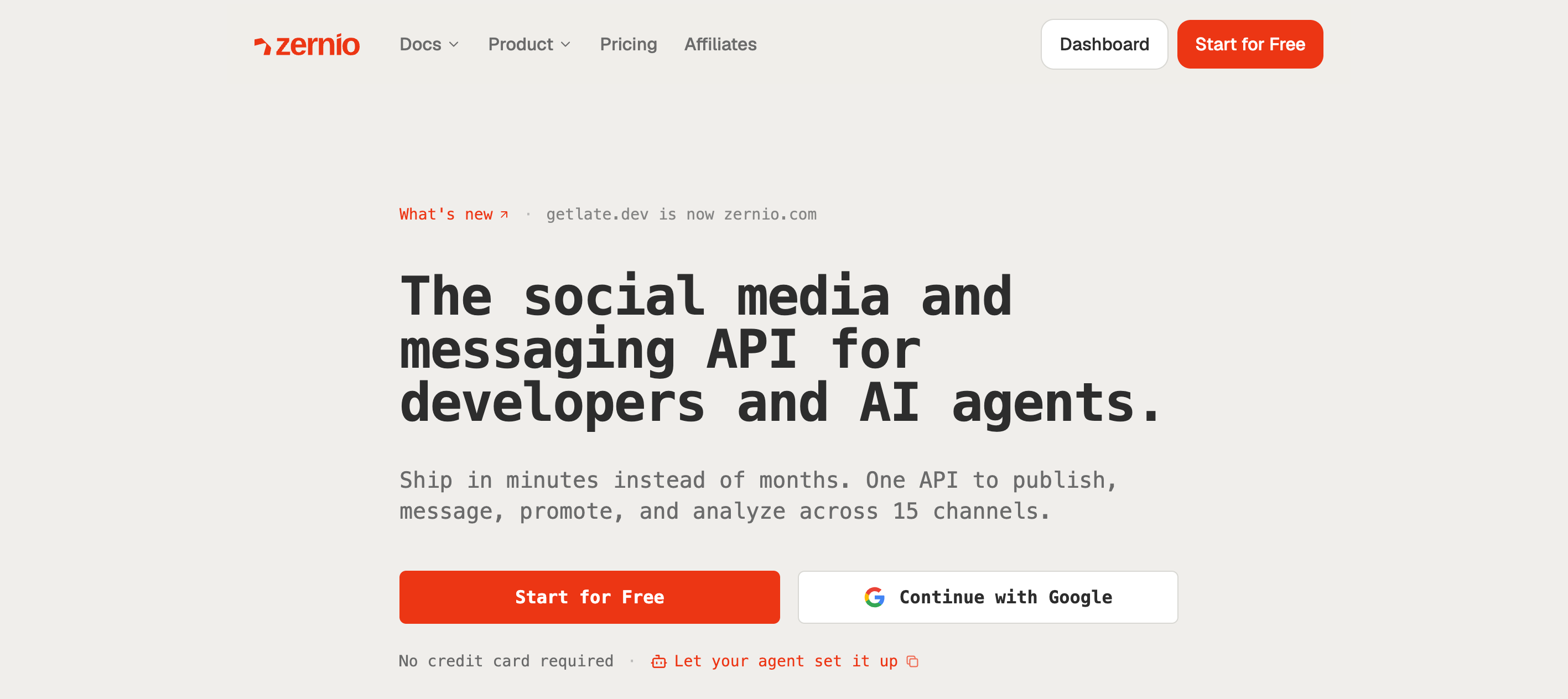
It's a single REST API that covers publishing, comments, DMs, analytics, and ads across 15 platforms. Instead of configuring workflows in an interface, you call an endpoint, or you connect Zernio's MCP server to Claude, ChatGPT, or Cursor and describe what you want in plain English.
That makes it a different kind of tool. There's no visual workflow builder and no drag-and-drop rules engine.
What you get instead is direct access to the same actions those builders sit on top of, which matters if your automation doesn't fit the shape a dashboard expects.
What Zernio automates:
- 🔌 Publishes to 15 platforms through one API call instead of one integration per platform
- 🤖 Lets AI assistants post, schedule, and reply through 480 MCP tools and a single connection
- 💬 Reads and responds to comments and DMs programmatically across connected accounts
- 📊 Pulls unified analytics across every account for custom reporting
- 📣 Boosts posts and manages ad campaigns across 7 ad networks
- 🔔 Fires webhooks on post status, new comments, and incoming messages so your own systems can react
- 🔑 Handles OAuth for end users, so your customers connect their own accounts without you registering developer apps
- 📥 Bulk schedules via CSV or API
Platforms supported by Zernio:
Instagram, Facebook, LinkedIn, X, TikTok, YouTube, Pinterest, Google Business Profile, Threads, Bluesky, Telegram, Reddit, Snapchat, WhatsApp, Discord
Who this is for:
| Audience | Why Zernio fits |
| Developers building social features | One integration replaces 15 platform APIs, OAuth flows, and rate limit handling |
| AI agent builders | MCP server lets an agent publish, analyse, and boost without custom tooling per platform |
| SaaS products with social features | End users connect their own accounts; your product stays white-labelled |
| Agencies | Programmatic control across client accounts for custom dashboards and reporting |
| Automation power users | Direct API access for workflows that don't fit a prebuilt rules engine |
Zernio Pricing:
| Accounts | Price per account/month |
| First 2 | Free |
| 3–10 | $6 |
| 11–100 | $3 |
| 101–2,000 | $1 |
Zernio charges per connected social account, with the price dropping as you scale. Every feature is included at every level, with no separate tiers for analytics, DMs, or ads.
Worth knowing: this is infrastructure, not a social media dashboard product. If you want automation running today without writing anything, one of the tools above will get you there faster.
Start with the automation that saves the most time first.
Most people need to automate their posting before anything else, and that's exactly where Nuelink shines. Connect your content sources once and let Nuelink handle the publishing automatically across every platform, no manual work required.