
Best Mastodon Scheduling Tools [2026 Updated]
Mastodon works differently from most social media platforms. It is a decentralized, ad-free network with a chronological timeline and no algorithm deciding who sees your posts.
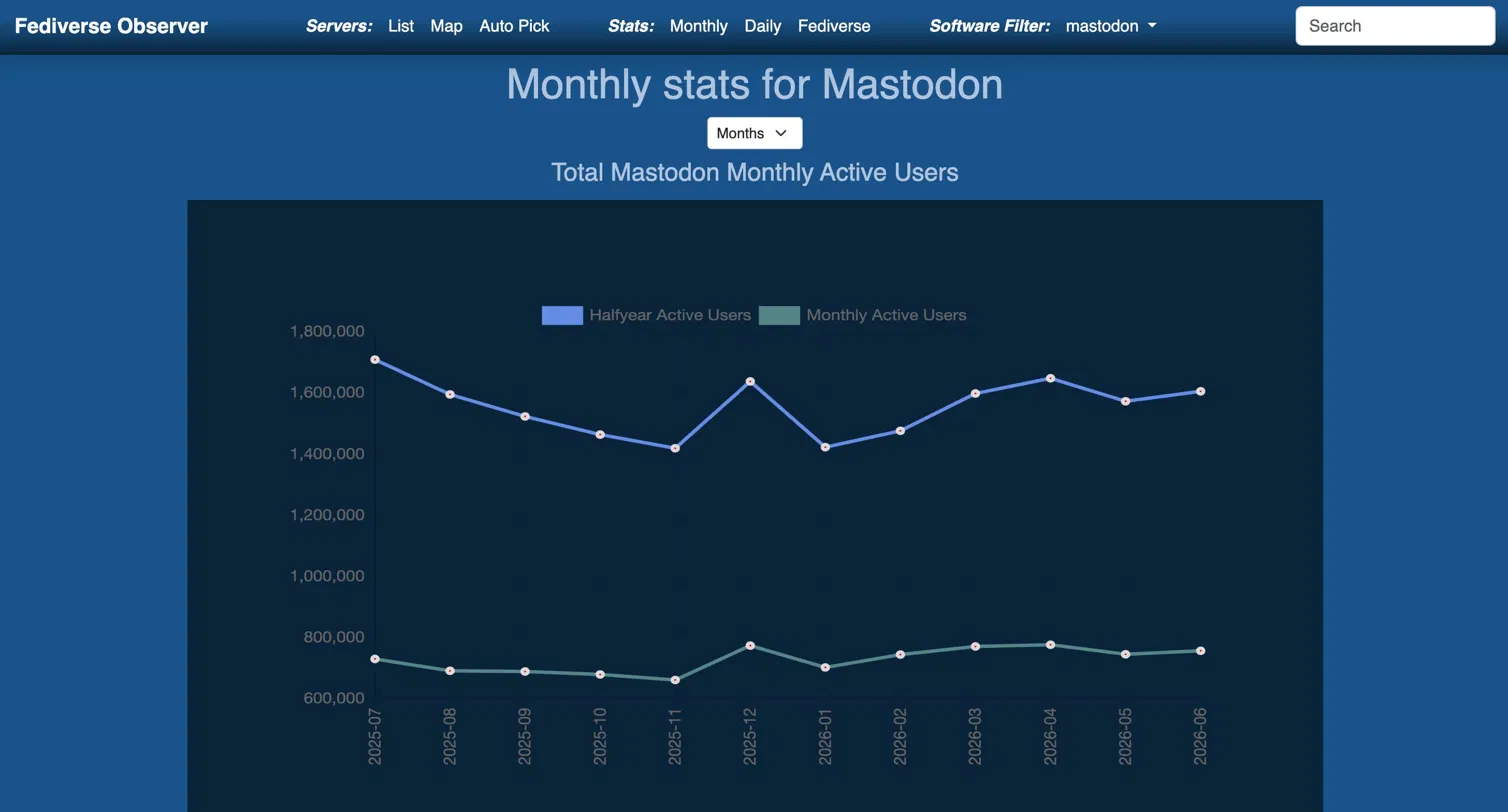
The audience is smaller than X or Threads, around 750,000 monthly active users and roughly 1.6 million active over the past six months, according to Fediverse Observer.
Mastodon does have a built-in scheduler, but it is really basic. It handles single posts only, with no thread scheduling, no multiple accounts, and no crossposting.
The moment you run Mastodon seriously, or alongside other platforms, you outgrow it. That is where a dedicated Mastodon scheduling tool comes in.
In this article, we cover the best Mastodon scheduling tools in 2026, with features, pricing, and real use cases.
What to Look for in a Mastodon Scheduling Tool
Content Warning (CW) Support
This is the most Mastodon-specific thing on the list. Content warnings are a deep cultural norm on Mastodon, used to tuck posts behind a clickable label for spoilers, sensitive topics, long posts, and more.
A scheduling tool that lets you set a content warning at the time you schedule, rather than forcing you back into the app to add it manually,If a tool ignores CWs entirely, that is a red flag for Mastodon specifically.
Hashtags as the Discovery Engine
On most platforms hashtags are optional. On Mastodon they are essential, because with no algorithm, hashtags are the primary way people discover content outside their existing follows.
That makes hashtag handling more important here than anywhere else. Look for a tool that lets you save and reuse hashtag groups so every scheduled post stays discoverable without you looking them up each time.
Does It Go Beyond Native Scheduling?
Since Mastodon already schedules single posts on its own, a third-party tool has to earn its place. The real test is everything native scheduling cannot do: connected threads, multiple accounts, analytics, crossposting, and follow-up replies. If a tool only matches the built-in scheduler, there is little reason to use it.
Multiple Accounts Across Instances
Mastodon handles look like @you@server , and people often run accounts on different instances, a personal account on one server and a brand or client account on another. If you manage more than one, check how many accounts each plan includes and whether the tool can connect accounts across different instances, not just one.
Format Support: Text, Images, Video, and Polls
Mastodon posts run up to 500 characters by default.
The platform also supports native polls, which are great for the conversational, community-driven culture. Make sure your tool supports the full range, including video and scheduled polls, so you are not stuck posting some formats by hand.
Crossposting From Mastodon to Similar Platforms
Mastodon users are usually also active on X, Threada, Bluesky, and other similar platforms.
If this is you, make sure the tool you pick offers a simple version of cross-posting.
A tool that crossposts across these networks lets you reach the whole decentralized audience from one place instead of copying and pasting into four apps.
Built-in Analytics
Mastodon offers essentially no native analytics, even less than other platforms.
That makes an analytics dashboard a genuine differentiator for the social media management tool you're picking.
Look for a tool that shows follower growth and post performance directly inside the dashboard so you are not flying blind.
Best Mastodon Scheduling Tools in 2026
🐘 A quick note before the list: very few mainstream social media management platforms support Mastodon at all. Several of the big names that cover every other network skip the fediverse entirely. That is why this list is short and curated rather than padded with tools that technically do not work. Every option below genuinely supports Mastodon.
1. Nuelink
Best Mastodon Scheduling Tool Overall
🏆 Best for: agencies, creators, and businesses managing multiple accounts across instances
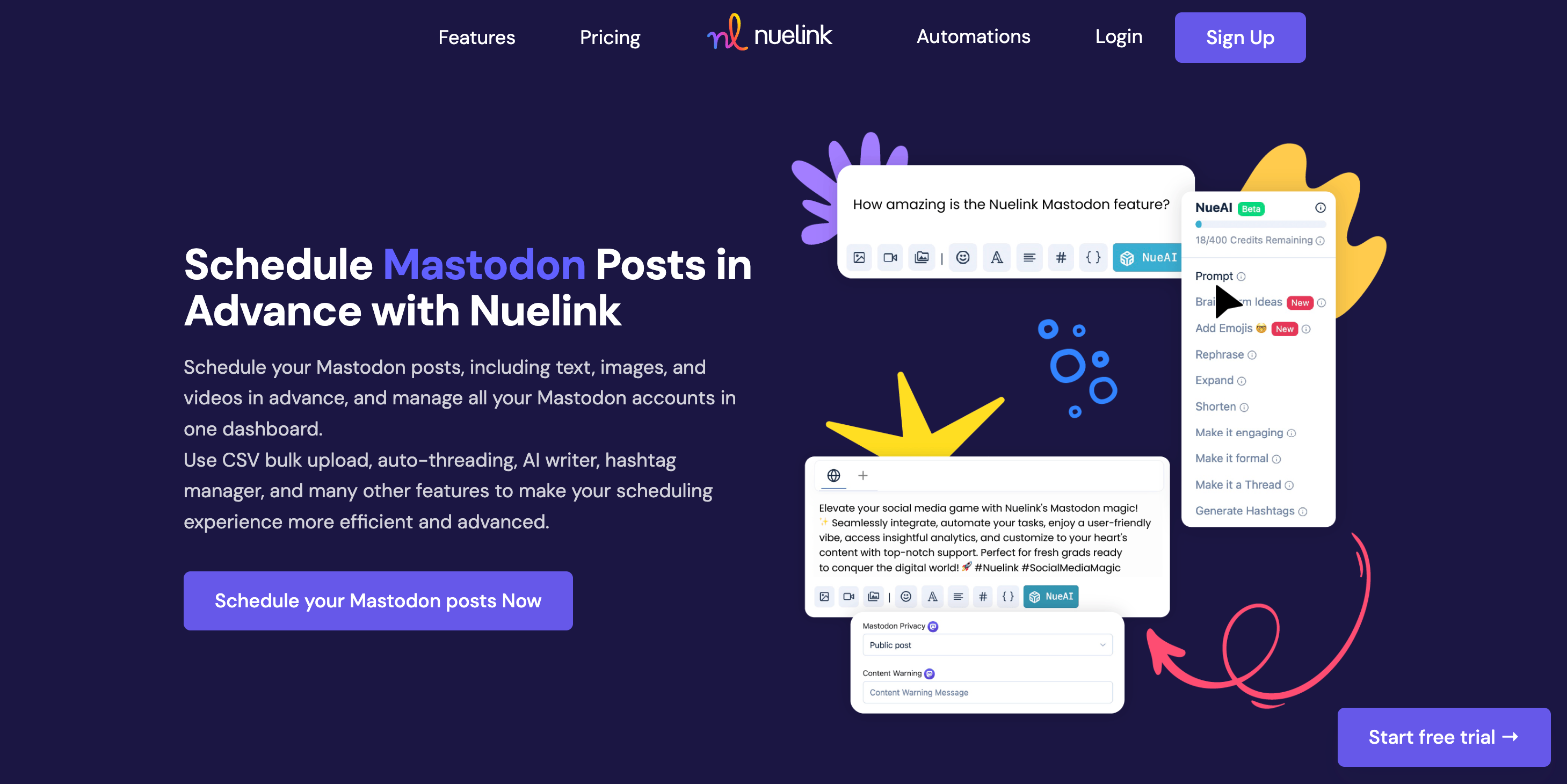
Nuelink is a social media management platform built for teams who need to manage multiple accounts across multiple channels from one place. It supports 12 platforms including Mastodon, Bluesky, Instagram, TikTok, Pinterest, Facebook, LinkedIn, and Threads.
✨ Key Mastodon Features by Nuelink
- ⚠️ Content Warning & Privacy Controls: set a content warning and choose your Mastodon privacy level (public, unlisted, followers-only) right from the scheduler.
- 👥 Multiple Accounts Across Instances: connect as many Mastodon accounts as your channel limit allows, across any instances, with no restrictions.
- 🧵 Threads & Auto-Threading: turn a long caption into a connected thread with one click, or insert three line breaks to control exactly where each post splits.
- 💬 Follow-up Comments: schedule a follow-up reply automatically after a delay you set, ideal for adding context or a link without interrupting the main post.
- 📊 Polls: schedule native Mastodon polls just like regular posts.
- 🖼️ Image & Video Support: schedule text, image, and video posts in advance.
- 📥 Bulk Scheduling via CSV: queue a full batch of Mastodon posts from a single spreadsheet.
- 🔁 Crossposting: crosspost between Mastodon, Bluesky, Threads, and X through one automated system.
- 🤖 AI Writing Assistant: generate a complete caption from a prompt, or rephrase and shorten an existing one.
- #️⃣ Hashtag Manager: save your best-performing hashtag groups and insert them into any scheduled post with a single click.
| 💰 Plan | Price | 📡 Channels | 🏢 Brands |
|---|---|---|---|
| Standard | $24/mo | 10 | 1 |
| Premium | $48/mo | 30 | 3 |
| Business | $78/mo | 60 | 6 |
✅ All plans include a 7-day free trial and a 30-day money-back guarantee.
See it in action: Schedule your first Mastodon post with Nuelink →
2. Buffer
Best for Simplicity & Budget-Conscious Users
💸 Best for: solo creators and small teams who want clean, no-fuss scheduling
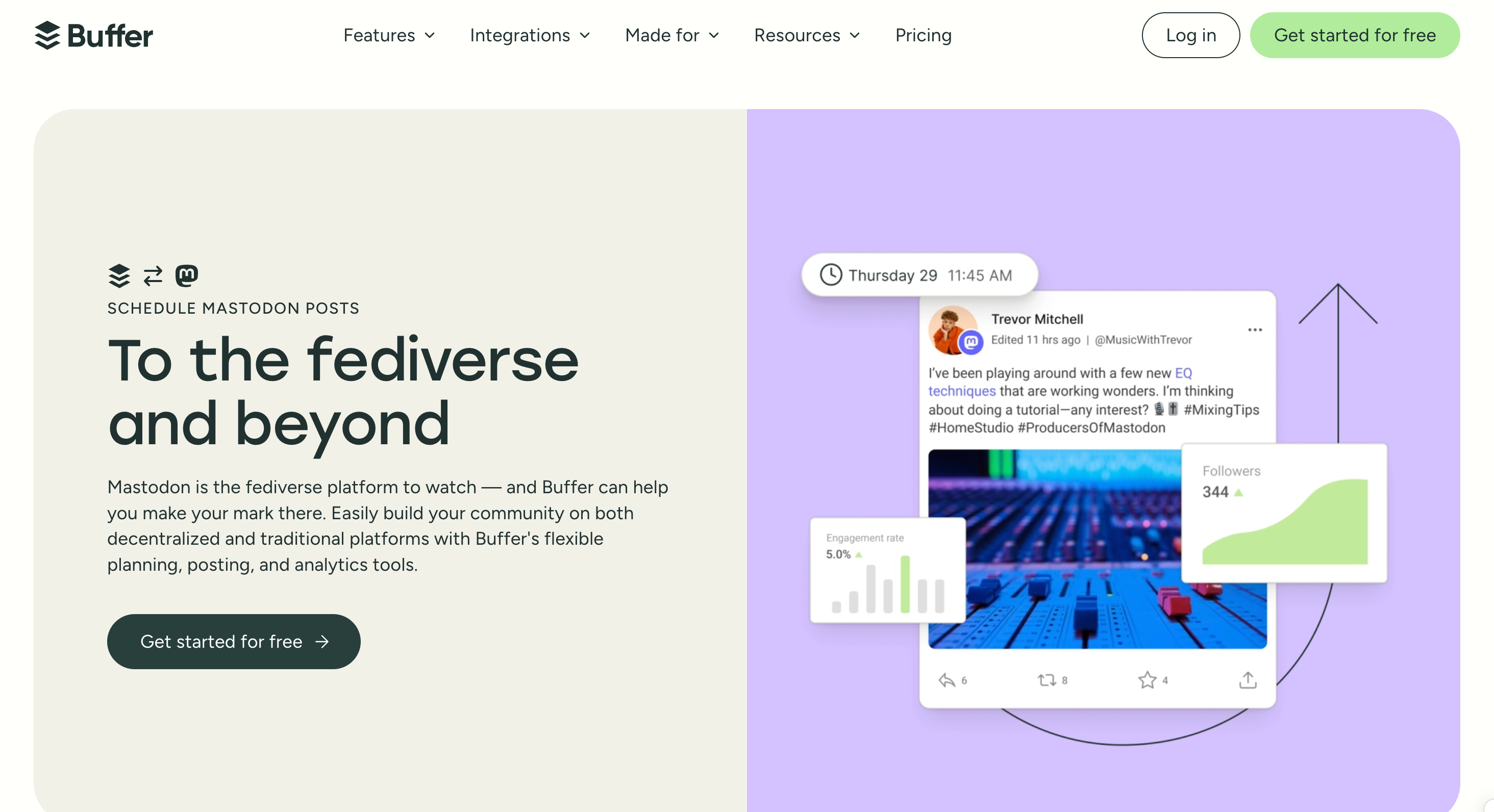
Buffer is a straightforward scheduling tool built for small businesses, creators, and solo marketers. It is one of the few established commercial schedulers that supports Mastodon, and it is also one of the most accessible tools here in terms of price and ease of use.
✨ Key Mastodon Features by Nuelink
- ⏰ Post Scheduling: schedule Mastodon posts in advance and publish them automatically at the times you choose.
- 🖼️ Image & Video: schedule posts with media alongside your other connected platforms.
- 🗂️ Content Planning: save and organize post ideas in Buffer's Create space with boards and color-coded tags.
- 📈 Analytics: track engagement on individual posts, with advanced analytics on paid plans.
- 🤖 AI Assistant: generate captions and repurpose content inside the scheduler.
| 💰 Plan | Price | 📡 Channels | 👤 Users |
|---|---|---|---|
| Free | $0 | 3 | 1 |
| Essentials | $5/mo per channel | Flexible | 1 |
| Team | $10/mo per channel | Flexible | Unlimited |
⚠️ Pricing scales per channel, so the more accounts you manage, the more you pay.
3. Fedica
Best Fediverse Specialist
🛰️ Best for: users who want a tool built around decentralized and federated platforms
Fedica is one of the few platforms offering full publishing and analytics support for federated platforms like Mastodon, Bluesky, and Pixelfed, alongside the usual networks. If the fediverse is central to your strategy, Fedica is the specialist option.
✨ Key Mastodon Features by Fedica
- 🧵 Spreadable Thread Scheduling: native, connected thread scheduling for Mastodon.
- 🔁 Crossposting: crosspost from Mastodon to Bluesky, X, Threads, and more.
- 📊 Deep Analytics: Fedica is analytics-first, with audience and performance data across connected platforms.
- 🌍 Federated Platform Coverage: built with Mastodon, Bluesky, and Pixelfed in mind, not bolted on as an afterthought.
- 🕒 Best Time to Post: posting-time suggestions based on your audience activity.
| 💰 Plan | Price |
|---|---|
| Free | $0 (permanent) |
| Individual | ~$19–29/mo |
| Team | ~$149/mo |
⚠️ Pricing is reported inconsistently across sources. Confirm current figures on Fedica's official pricing page before publishing.
All three tools genuinely support Mastodon and work well depending on your needs. But if you want the most complete feature set, the best multi-account support, and the most flexible pricing, Nuelink is the clear choice.
Why Nuelink Is the Best Mastodon Scheduling Tool
Nuelink covers every feature you need to run a serious Mastodon presence, all from one dashboard. Let's look at some in more detail.
Content Warning and Privacy Controls
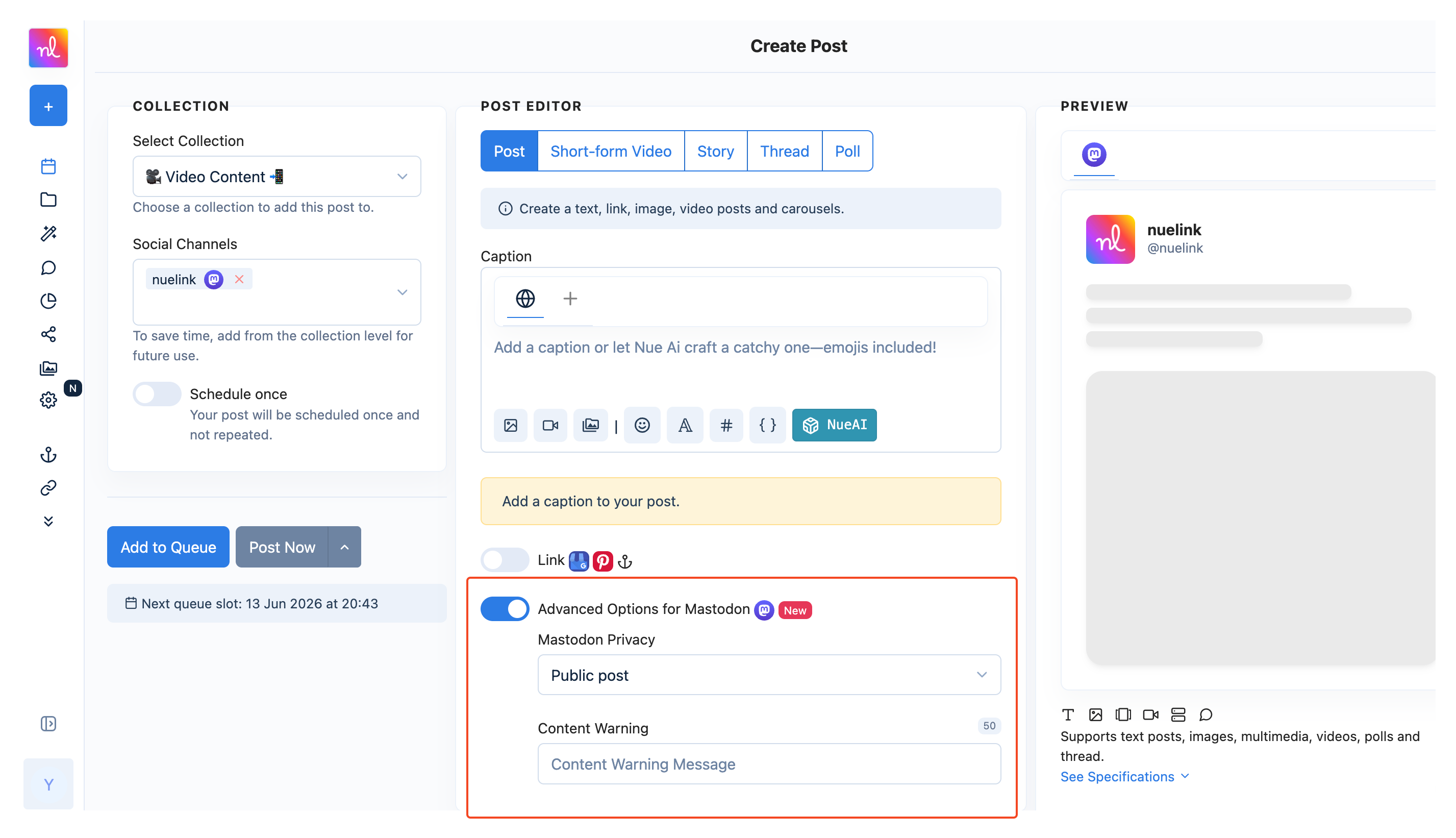
Content warnings are core to how Mastodon works, and Nuelink supports them directly. When scheduling a post, you can add a content warning and set your privacy level to public, unlisted, or followers-only, without going back into the app. This is the kind of platform-aware detail that separates a tool built for Mastodon from one that simply connects to it.
Multiple Accounts Across Instances
Most tools that touch Mastodon assume a single account. Nuelink counts each Mastodon account as a regular social channel, so if your plan includes 10 channels and you want all 10 to be Mastodon accounts across different instances, you can do that.
Auto-Threading, and Follow-up Comments
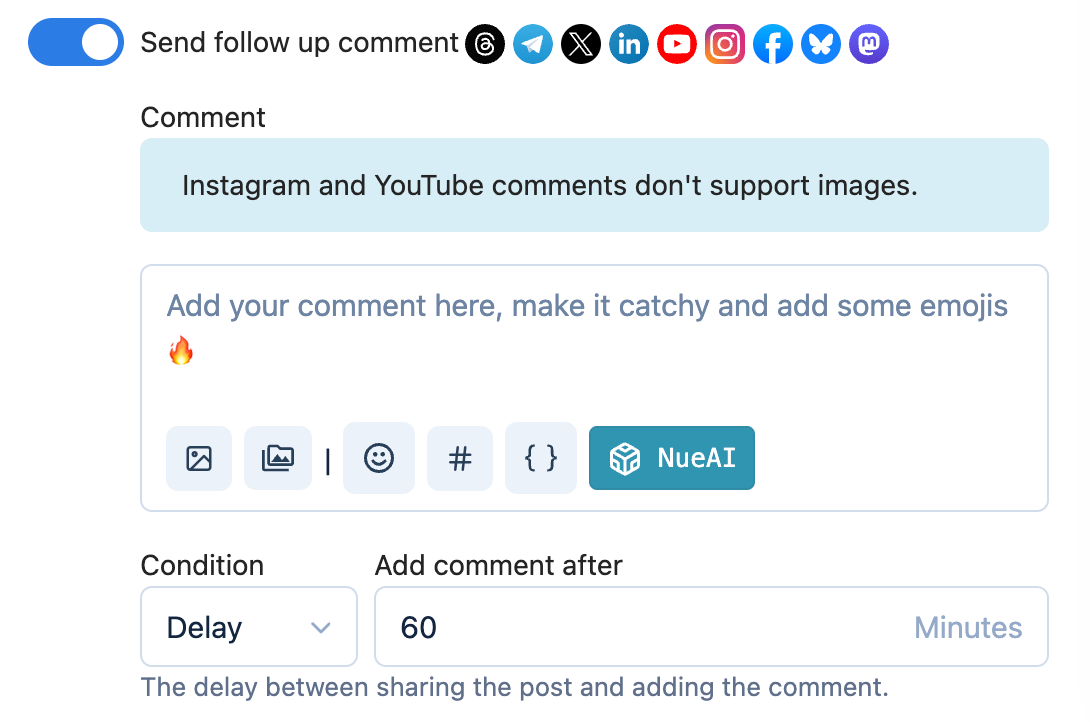
Mastodon runs on conversation, and Nuelink is built for it. Turn any long caption into a connected thread with a single click using auto-threading, or insert three line breaks to decide exactly where each post splits. You can also schedule a follow-up comment to fire automatically after a delay you set, which is perfect for adding context or a link without cluttering the main post.
Polls and Full Media Support
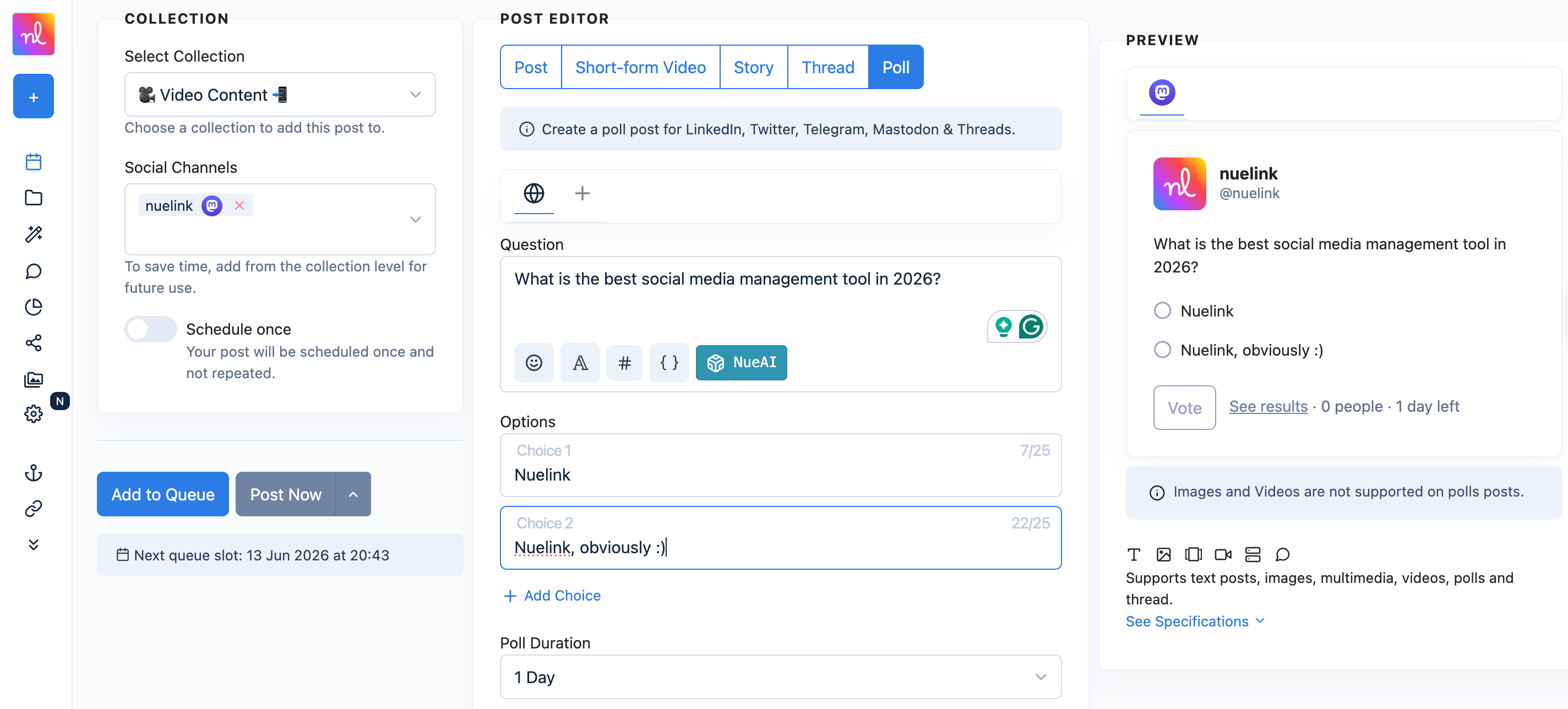
Nuelink supports the formats Mastodon users actually use. Schedule text posts, images, and video, and schedule native Mastodon polls just like regular posts. Polls are a great fit for Mastodon's conversational culture, and most tools do not let you schedule them at all.
Hashtag Manager
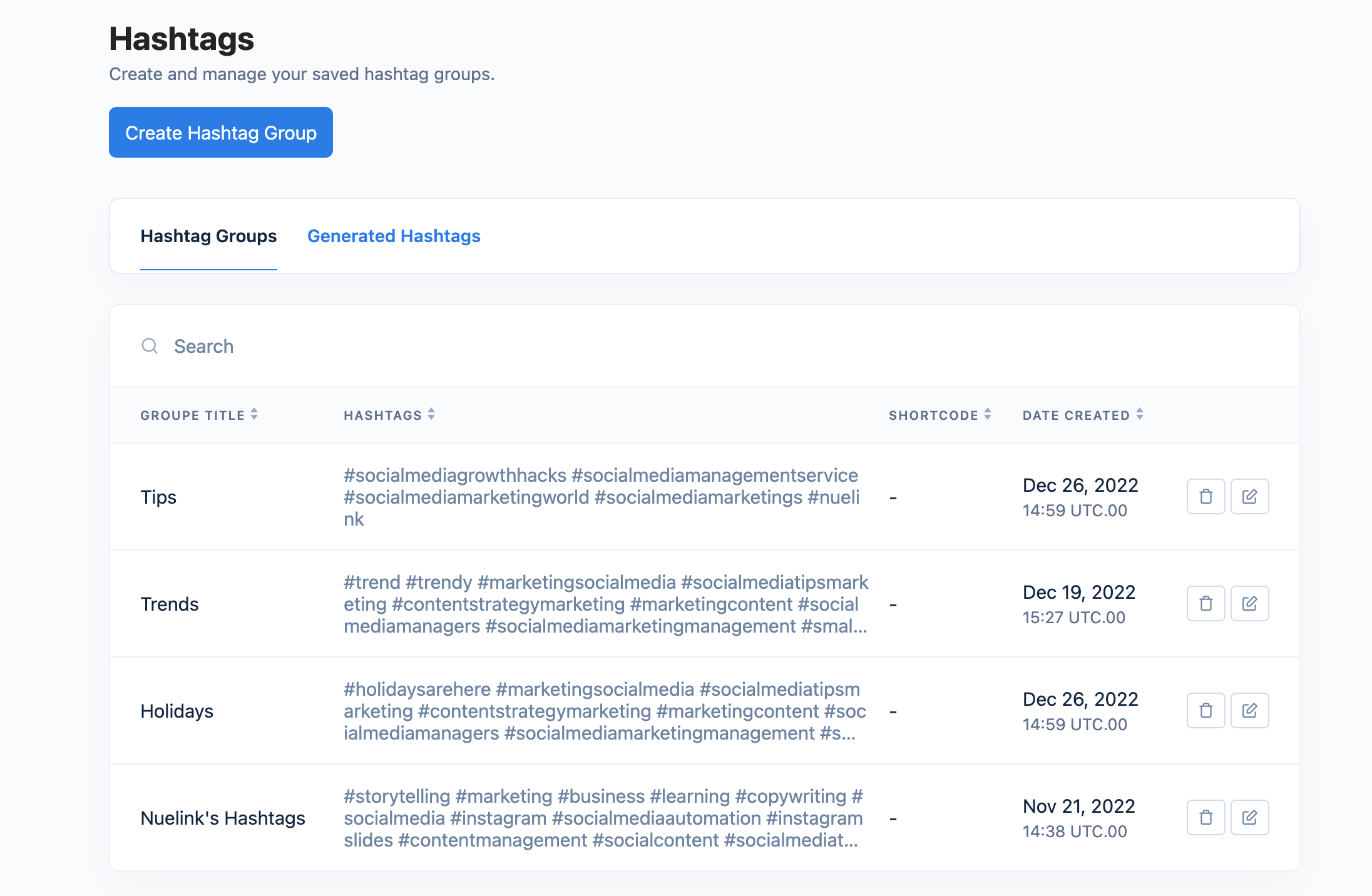
On Mastodon, hashtags are how people find you, since there is no algorithm surfacing your posts. Nuelink's Hashtag Manager lets you save and organize your best hashtags by topic or campaign, then insert any saved group into a scheduled post with a single click. That keeps every post discoverable without the manual lookup.
Bulk Scheduling via CSV
If you are managing Mastodon at any real scale, scheduling one post at a time is not viable. Nuelink's bulk scheduling tool lets you prepare your entire queue in Google Sheets with captions, media, dates, and times, then export it as a CSV and upload it to Nuelink. Your full queue is scheduled instantly with no manual work.
Bulk Schedule Mastodon Posts with Nuelink
Crossposting Across the Fediverse
Most people on Mastodon also keep a presence on Bluesky, Threads, and X. Nuelink lets you crosspost your content across these platforms through one automated system, while still controlling exactly what gets crossposted and what does not.
Crosspost Mastodon Content with Nuelink
Store Automations
Nuelink lets you connect your online store directly to Mastodon and automatically promote your products without any manual work. Whether you sell on Shopify, WooCommerce, Etsy, or another platform, Nuelink pulls your products and schedules them on autopilot, which is especially useful for e-commerce brands that want a consistent presence without building every post by hand.
AI Writing Assistant
Writing a fresh post for every update adds up fast. Nuelink's built-in AI writing assistant lets you generate a complete Mastodon caption from a simple prompt, or refine an existing one by rephrasing, shortening, or adding more punch.
Your Mastodon presence deserves better than the bare-bones native scheduler. Try Nuelink free for 7 days.