
The Top Threads Scheduling Tools for Creators and Brands in 2026
Threads has quietly become one of the biggest opportunities in social media. Meta's text-first platform now has more than 500 million monthly active users and is still growing fast, and right now it offers something that barely exists anywhere else: enormous organic reach for small accounts.

A profile with a few hundred followers can still land tens of thousands of impressions on a single strong post, and new accounts grow several times faster than on mature platforms like X.
But that window rewards one thing above all: consistency. Threads favors accounts that show up regularly and join the conversation, and keeping that pace by hand is exhausting. The catch is that Threads, unlike Instagram or Facebook, gives you almost nothing to schedule with on its own.
That is what makes a good Threads scheduling tool so valuable in 2026. In this guide, we cover the best ones, honestly, starting with the obvious question.
Does Threads Have Native Scheduling?
Barely. Here is the honest state of it in 2026:
- The Threads app has a basic scheduler. You can schedule a single post from the app, but there is no content calendar, no real workflow, and essentially no analytics. It is fine for the occasional post on normal personal accounts but not for businesses or content creators.
- Meta Business Suite support is patchy. Threads sometimes appears as a destination in Business Suite, but the rollout has been slow and inconsistent, and many accounts cannot rely on it.
- Avoid browser-automation hacks. Some tools "schedule" Threads by automating the website rather than using Meta's official API. This breaks often and can violate Threads' terms, so steer clear, especially on a brand account.
The bottom line: for anything beyond an occasional single post, you need a proper third-party tool that connects through the official Threads API, so you can properly schedule your Threads posts and benefit from many automation options.
That is where the tools below come in.
Best Threads Scheduling Tools in 2026
1. Nuelink
Best Threads Scheduling Tool Overall
🏆 Best for: creators and brands who want full threads, polls, and multi-platform publishing in one place

Nuelink is a social media management platform supporting 12 platforms including Threads, Instagram, TikTok, LinkedIn, and more. Its Threads support goes well beyond the single-post scheduling most tools offer, which is exactly what Threads' format demands.
✨ Key Threads Features by Nuelink
- 🧵 Auto-Threading: schedule full thread chains, not just one post, so your longer narratives publish in sequence automatically.
- 📊 Polls: schedule Threads polls to spark engagement, a feature most schedulers do not support.
- 💬 Follow-Up Comments: auto-post a follow-up comment after your post goes live, perfect for dropping a link or a question.
- 👥 Unlimited Accounts: connect as many Threads accounts as your plan allows, and schedule the same post to all of them at once.
- 📥 Bulk Scheduling via CSV: queue up to 100 posts or full threads from a single spreadsheet.
- 🔁 Crossposting: publish once on Threads and share the same content to Bluesky, Mastodon, X, and more.
- 🤖 AI Writer and Hashtags: generate and refine posts with NueAI, plus a built-in hashtag manager.
- 📈 Analytics: track follower growth, engagement, best times to post, and top-performing posts.
|
💰 Plan |
Price |
📡 Channels |
🏢 Brands |
|---|---|---|---|
|
Standard |
$24/mo |
10 |
1 |
|
Premium |
$48/mo |
30 |
3 |
|
Business |
$78/mo |
60 |
6 |
✅ Flat pricing with no per-channel fees. 7-day free trial and a 30-day money-back guarantee.
🧵 See it in action: Schedule your first Threads post with Nuelink →
2. The Native Threads Scheduler
Best Free Option for the Occasional Post
🆓 Best for: casual users who post to Threads now and then and want nothing extra
Threads' own in-app scheduler is free and built right in. If you only post occasionally and do not need planning or data, it does the basic job without another login.
✨ Key Features
- 🆓 Free and native: no third-party connection required.
- 📝 Single-post scheduling: set a date and time for an individual post.
|
💰 Plan |
Price |
|---|---|
|
Threads app |
Free |
⚠️ Single posts only, with no thread scheduling, no polls, no content calendar, no bulk, and no crossposting.
3. Buffer
Best for Simplicity and Budget
💸 Best for: solo creators who want a clean, cheap way to schedule across a few channels

Buffer is one of the easiest tools to learn and cheapest to start. It supports Threads alongside the major networks and keeps the workflow simple.
✨ Key Threads Features by Buffer
- ⏰ Scheduling: queue Threads posts at the times you choose.
- 🗂️ Content Planning: Organize ideas in Buffer's Create space.
- 📈 Analytics: Track engagement, with advanced analytics on paid plans.
- 🤖 AI Assistant: Generate and repurpose captions.
|
💰 Plan |
Price |
📡 Channels |
👤 Users |
|---|---|---|---|
|
Free |
$0 |
3 |
1 |
|
Essentials |
$5/mo per channel |
Flexible |
1 |
|
Team |
$10/mo per channel |
Flexible |
Unlimited |
⚠️ Pricing scales per channel.
4. Metricool
Best for Analytics and Reporting
📈 Best for: teams who want scheduling plus deep performance data

Metricool pairs scheduling with some of the most generous analytics in the market, including a free tier, making it the pick when measurement matters as much as publishing.
✨ Key Threads Features by Nuelink
- 📊 In-Depth Analytics: track Threads performance alongside your other channels.
- 🕒 Best Time to Post: posting-time recommendations from a large dataset.
- 📅 Content Planner: schedule across platforms from a visual calendar.
- 📤 Reporting: customizable reports, with Looker Studio on higher tiers.
|
💰 Plan |
Price (Annual) |
🏢 Brands |
|---|---|---|
|
Free |
$0 |
1 |
|
Starter |
~$22/mo |
5 |
|
Advanced |
~$54/mo |
15 |
⚠️ Brand-based pricing.
All four work depending on your needs. If you only post occasionally, the native scheduler is free and fine. Buffer is the simple budget pick, and Metricool wins on analytics. But if you want to run a real Threads strategy, with full threads, polls, and your other platforms alongside, Nuelink is the clear choice.
Why Nuelink Is the Best Threads Scheduling Tool
Threads rewards consistency and conversation, and Nuelink is built to deliver both without you living in the app. Here is what sets it apart.
Schedule Full Threads, Not Just Single Posts
Most Threads schedulers can only queue one post at a time. Nuelink's auto-threading lets you schedule an entire thread chain, so your longer takes, tutorials, and stories publish in the right order automatically.
Polls and Follow-Up Comments
Nuelink lets you schedule Threads polls to drive engagement, and add a follow-up comment that posts automatically after your content goes live, ideal for dropping a link or a prompt to keep the conversation going. Both are rare among Threads scheduling tools.

Unlimited Accounts
Connect as many Threads accounts as your plan allows, and schedule the same post across all of them at once. Whether you run several of your own profiles or manage them for clients, they all live in one calendar.
Bulk Scheduling
When you want to plan ahead, bulk import up to 100 posts or full threads from a single spreadsheet, enough to line up a month or more of content in one sitting.
Bulk Schedule Facebook Posts with Nuelink
Crosspost Threads Everywhere
Good Threads content rarely needs to stay on Threads. Publish once and share the same content to Bluesky, Mastodon, X, and more, with settings you control per platform, so one idea reaches every audience.
Crosspost Facebook Content with Nuelink
Manage Threads Comments in One Place
Publishing is only half of Threads. Nuelink's unified inbox pulls your Threads comments into one place so you can read and reply without opening the app, and filter them by New, Replied, Dismissed, or All to clear your queue fast.
You can search across comments and respond from the same dashboard you publish.
Reply and Quote Controls
Before a post ever goes live, Nuelink lets you set exactly who can reply to and quote it, so you can shape the conversation around a sensitive announcement or a high-traffic post right when you schedule it. Choose from:
- Anyone
- Profiles you follow
- Mentioned only
- Followers only
- Parent post author only
It is a level of control the native scheduler does not offer, and you can schedule it instead of going back to the app after publishing.
AI Captions and Hashtags
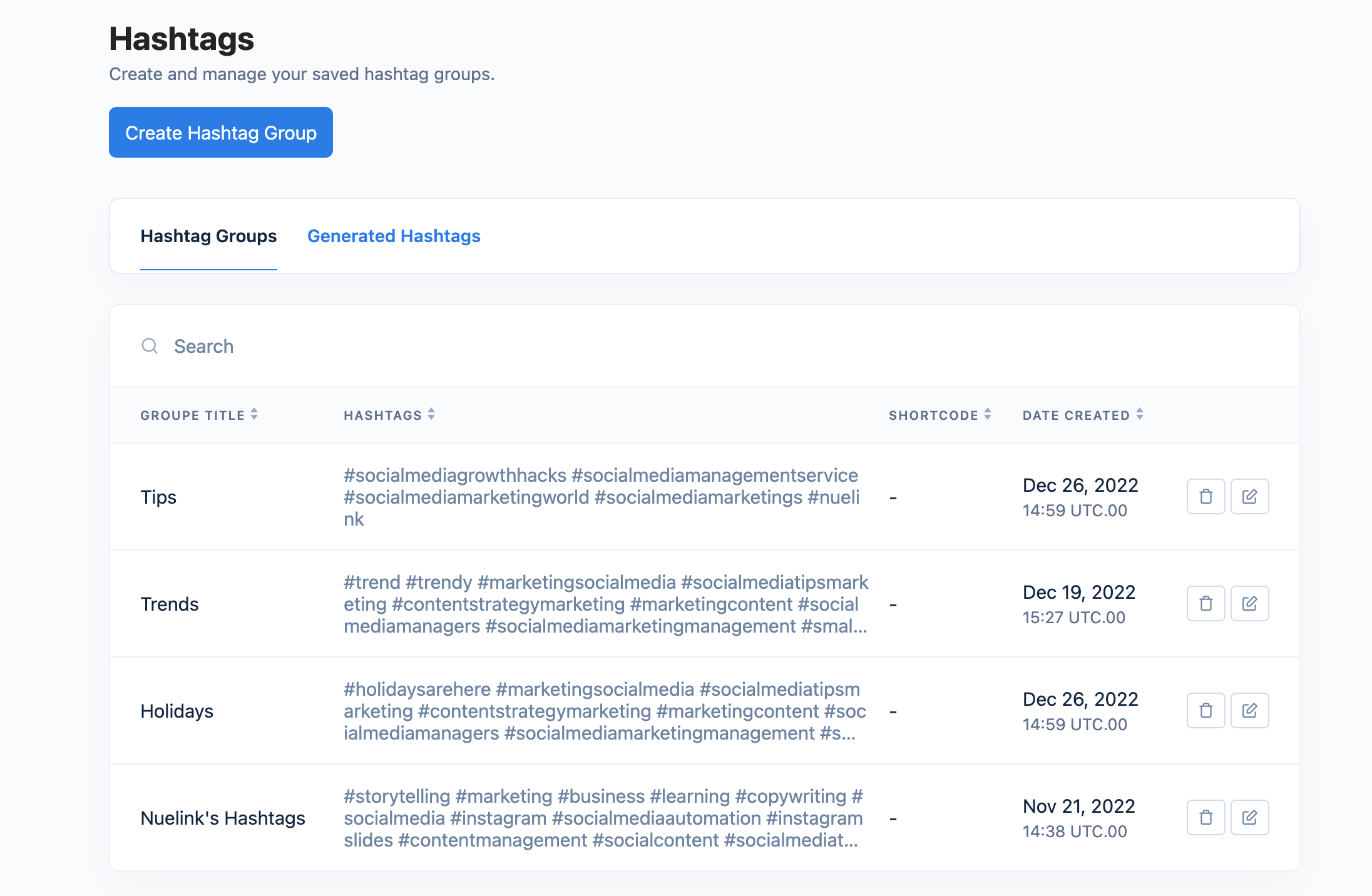
Nuelink's built-in AI writer, NueAI, generates Threads posts from a prompt or refines your drafts by rephrasing, shortening, or expanding them, and the hashtag manager helps you reuse your best tags.
Analytics the Native App Does Not Give You
Where the Threads app leaves you guessing, Nuelink tracks follower growth, engagement, your best times to post, and your top-performing content, with reports you can export.

One Dashboard for Every Platform
Most creators are not only on Threads. Nuelink lets you plan and publish across all 12 platforms from one calendar, so Threads becomes part of your wider strategy instead of a separate task in a separate app.
Threads is a rare platform where consistency still buys reach. A scheduler is how you capture it. Try Nuelink free for 7 days.